Automatically Display Dynamic Telegram Links on WooCommerce Product Pages
In e-commerce, attention is the ultimate currency. With traditional email open rates continuously dipping, savvy store owners are shifting toward a more direct, immediate platform to cultivate customer loyalty: Telegram.
Building a dedicated Telegram group or channel gives you a direct line to your audience with instant reach, phenomenal open rates, and unparalleled customer retention. But up until now, getting your store buyers into your chat ecosystem was a broken, manual process. You had to copy-paste links into post-purchase emails, note fields, or global headers where they lacked context.
Enter the WooCommerce Telegram Product Link & Manager by Ramerlabs—the missing bridge that turns your product catalog into a powerful community growth engine.
The “Set-and-Forget” Backend
Great plugins shouldn’t add more work to your daily routine. This tool is built entirely around a seamless, set-and-forget workflow that keeps your administrative tasks beautifully simple.
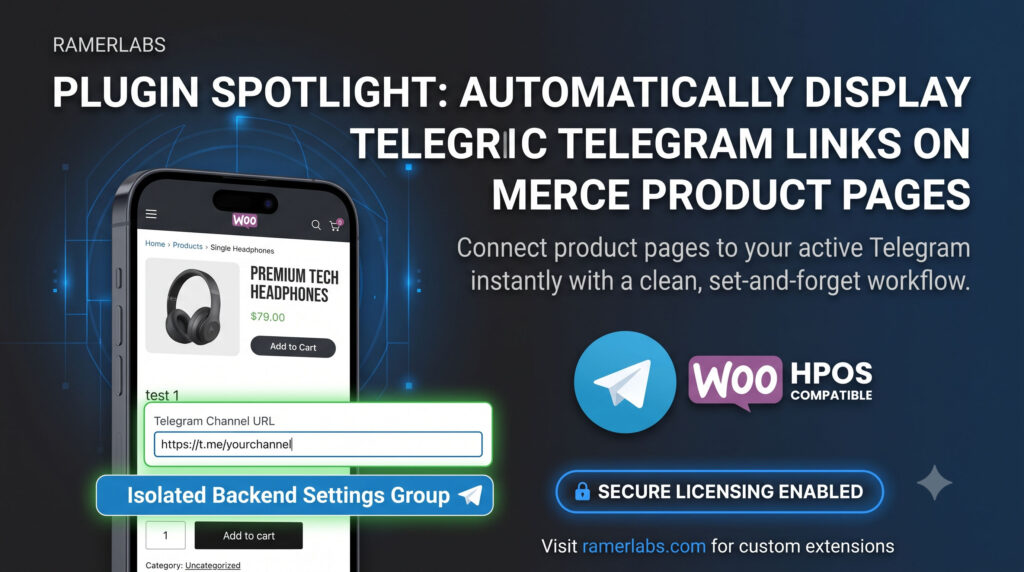
When you edit any item in your dashboard, you will find a clean, optional Telegram Channel URL field embedded directly into your standard WooCommerce product data settings under the General Tab.
👉 Product Data -> General -> Telegram Channel URL
- Effortless Input: Just paste the target invite link (
[https://t.me/yourchannel](https://t.me/yourchannel)) uniquely mapped for that specific product. - Lightweight Integrity: If you leave it blank, nothing changes on the frontend. No empty spaces, no broken design blocks, and no extra code strain—keeping your web layout remarkably clean and lightweight.
A Clean, Standalone Dashboard Experience
Cluttered default settings pages can be incredibly frustrating. Ramerlabs addresses this by housing your core management controls within a dedicated, premium standalone admin panel interface.
Accessed right from your WordPress sidebar, this workspace keeps everything simple. License management is handled independently in a single, focused area. No hunting through deeply nested WooCommerce menus just to check your deployment details or input key details.
Robust Security & Frontend Integrity
A professional shop demands flawless frontend execution. The WooCommerce Telegram Product Link & Manager doesn’t just blindly inject buttons onto your live site. It features smart, strict architectural gating running silently in the background.
- Strict Gating Logic: The plugin continuously checks your underlying database state. It verifies active license status and matching product validation rules (Product ID 9) before displaying anything to visitors.
- The Result: When active, a high-converting, native-looking “Join Telegram Channel” button is automatically displayed on the single product summary page. It features an optimized layout that seamlessly blends into your existing theme design right out of the box.
Conclusion: Transform Transactional Buyers Into Brand Advocates
Linking commerce directly with a real-time community transforms standard transactional purchases into long-term brand advocacy. By giving customers immediate access to support channels, insider deal updates, or exclusive premium drop announcements right from the product layout, you build lasting trust.
Stop losing touch with your buyers post-checkout. Streamline your social funnel today with the WooCommerce Telegram Product Link & Manager.
🚀 Ready to Elevate Your Store Strategy?
[Get Started & Download the Telegram Link Manager Plugin Now]
Need a custom-tailored WordPress feature, deep database optimizations, or unique visual modifications built exactly for your distinct e-commerce business model? Let the elite team handle it. Visit ramerlabs.com to have the experts construct your next web upgrade perfectly.