lacidaweb Advertising Platform: Own Your Ad Network
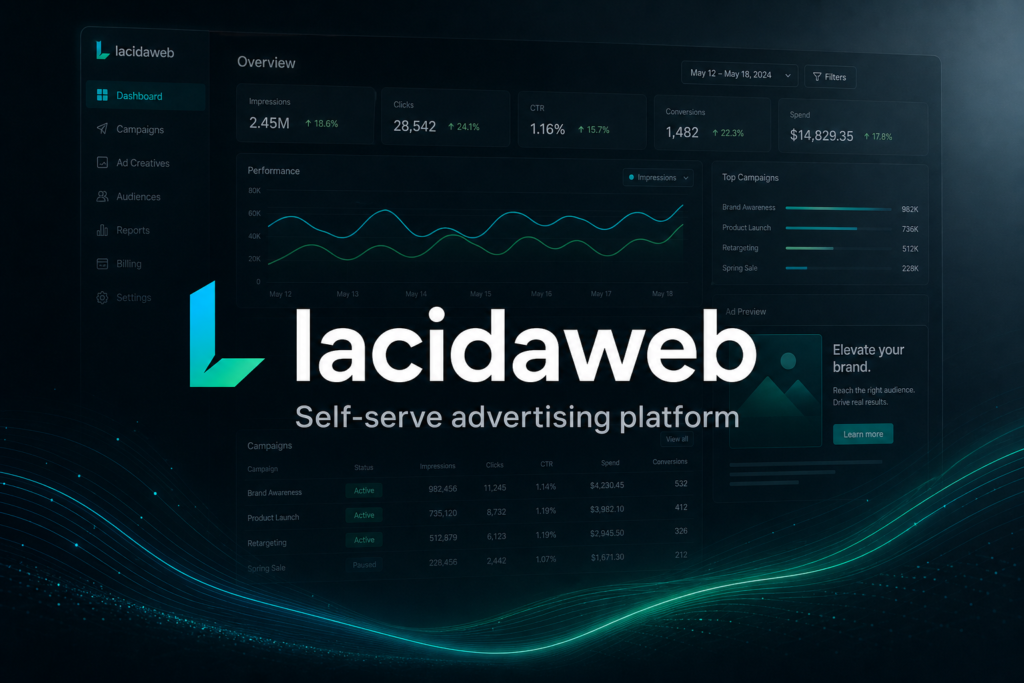
If you have ever wanted the control of a big ad network without renting someone else’s black box forever, this launch is for you. lacidaweb Advertising Platform is a self-serve advertising SaaS from RamerLabs that you deploy on your own domain. Advertisers create campaigns, fund a prepaid wallet, and go live after review. Publishers embed ads and earn on valid impressions and clicks. You keep the brand, the data, and the economics.
Most teams start advertising on closed platforms. That works until fees rise, policies change overnight, or you need a network that fits your own sites and partners. lacidaweb flips that model: you run the network. The product is built like a modern Facebook Ads-style workflow for advertisers, with a publisher side that is transparent about CPM, CPC, and share of spend.
This post walks through what lacidaweb is, who it is for, how campaigns and wallets work, how publishers get paid, what admins control, and how to get a licensed deployment live. By the end you should know whether lacidaweb fits your business and how to start.
What lacidaweb is
lacidaweb is a full-stack advertising platform: Next.js app, PostgreSQL database, admin console, advertiser dashboard, publisher dashboard, ad serving APIs, and embed scripts. It is sold as a licensed product you install yourself – not a hosted multi-tenant service where RamerLabs operates your ads for you.
That distinction matters. You choose the domain, payment instructions, brand, and profit margin. Advertisers and publishers are your customers. RamerLabs provides the software and license activation so your deployment stays authorized.
The product page is here: lacidaweb Advertising Platform ($299 lifetime license).
Who it is for
Operators and agencies who want a white-label ad network for clients or partner sites. You need review queues, wallets, and payouts in one place.
Publishers and media owners who want to monetize inventory with clear CPM/CPC rates and fraud filtering, without building serving logic from scratch.
Advertisers and brands who prefer prepaid spend, no KYC signup friction, and a guided campaign wizard instead of a spreadsheet of placements.
If you only need a single banner on one site, a simpler plugin may be enough. If you need a network with budgets, review, refunds, publisher earnings, and admin oversight, lacidaweb is aimed at that job.
Advertiser experience: campaigns that feel familiar
Advertisers sign up without KYC or ID uploads. They create a workspace, top up a prepaid wallet, and open the campaign wizard. The flow mirrors what people already know from major ad platforms:
- Objective – Awareness, Traffic, or Conversions
- Audience – countries and targeting details
- Budget – daily or lifetime amount
- Creative – image, text, or video formats, with optional AI assist
When a campaign is submitted, lacidaweb reserves the campaign budget from the advertiser wallet. That prevents unlimited free submissions while ads sit in review. If an admin rejects the campaign, unused reserved balance is refunded and logged. If the campaign is approved, delivery spend draws against the prepaid budget without double-charging the wallet for the same reserved amount.
Advertisers can pause, resume, or delete campaigns. On the campaigns list they see total ad spent, reserved budget, remaining budget, and a progress bar. When they want to keep a winning campaign running, they can Add spend – an extra amount is taken from the wallet and added to that campaign’s prepaid budget.
Optional AI tools help write creatives and generate images. Those use AI token packs (buyable with wallet balance or other payment methods). Before creative AI runs, advertisers save a business profile so copy stays on-brand. The advertiser overview also shows an AI token usage bar so teams know what is left.
Wallet billing without subscriptions
lacidaweb does not force a monthly SaaS plan for advertisers. They top up a wallet (minimum typically $25) and spend when they run ads. Supported methods can include USDT (TRC20 with hash verification), PayPal, GCash, and US bank transfer, depending on what you enable in admin.
Billing UI shows only the checkout panel for the method the user selected, so PayPal instructions do not stack on top of a USDT card. Payment history includes Payment IDs so users can match what they paid. Wallet and publisher panels keep a transaction log; entries older than seven days are purged automatically to keep ledgers readable.
For operators, that model is easier to explain: fund the wallet, submit the campaign, get reviewed, go live. No surprise subscription renewals for advertisers who only need a short burst of traffic.
Publisher side: embeds, rates, and payouts
Publishers register separately, add sites, and place ads with embed code or automatic placement helpers. They earn on valid impressions (CPM) and valid clicks (CPC). Fraud filters discard bots and duplicate events before earnings credit.
You configure publisher rates and the platform profit margin in admin. The public landing page can show publisher-facing rates and share of network spend without exposing advertiser charge rates. That transparency helps recruit publishers while keeping your margin private.
When no eligible paid campaign can fill a slot, lacidaweb can serve a house ad that invites visitors to advertise on your network – so inventory still promotes growth instead of going blank.
Publishers request payouts through enabled methods. Earnings and payout history appear in their panel alongside the shared transaction log pattern used for advertisers.
Admin ops that keep the network healthy
Platform admins review campaigns (approve, reject, pause, delete), manage users and wallet top-ups, configure payment gateways, AI token pricing, ads profit margin, branding, and license status. Rejecting a campaign refunds unused reserved budget so advertisers are not stuck with locked funds.
Telegram and email integrations can notify you about payments and operational events when configured. Site branding (logo, title, support email) flows into the product UI and notifications so the network feels like yours.
License activation locks dashboards and serving until a valid RamerLabs key is active. That protects your commercial deployment while still letting you bootstrap admin access to enter the key.
Ad serving and trust signals
Serving rotates eligible ads, tracks impressions and clicks, and applies fraud checks. Advertiser billing on delivery uses publisher rates marked up by your configured margin. Prepaid campaigns track lifetime spend against the reserved cap so delivery stops when budget is exhausted.
Landing-page network stats reflect ads served across publisher inventory – not vanity pageviews of the marketing site. That keeps public numbers honest when you showcase network activity.
Getting started on your domain
- Purchase the lifetime license from the RamerLabs product page.
- Download the release package and deploy (Vercel or any Node host) with PostgreSQL.
- Set environment variables: database URL, NextAuth secrets, APP_URL, admin emails, and optional payment/Telegram/SMTP settings.
- Run schema setup and create the bootstrap admin user.
- Sign in at Admin – License and activate your key.
- Configure payment methods, publisher CPM/CPC, profit margin, and branding.
- Invite advertisers and publishers, or open registration on your domain.
Full install notes ship with the public release README. Support is available at support@ramerlabs.com if you get stuck on deploy or licensing.
Common questions
Do advertisers need KYC? No. Signup does not require ID documents. Ad creatives are reviewed for quality before launch – that is creative review, not identity verification.
Is there a subscription for advertisers? No. Wallet top-ups fund campaigns. You may still sell your own commercial terms outside the software if you want.
Can I change the profit split? Yes. Admin settings control the platform margin and publisher rates.
What if an ad is rejected? Unused reserved wallet budget is refunded and logged.
Does AI cost extra? AI is optional. Token packs are purchased separately; text and image generation deduct from the team’s AI token balance.
Who hosts the ads? You do. Publishers point embeds at your APP_URL. You own the serving endpoint and the data.
Why own the network
Renting attention from giant platforms is fine for testing. Owning the rails is different: you set the rules, keep first-party relationships, and design economics that fit your region and payment mix (including USDT, GCash, PayPal, or bank transfer).
lacidaweb packages the hard parts – wallets, reserves, refunds, review, serving, publisher payouts, and admin controls – so you can focus on growing supply and demand instead of rebuilding ad infrastructure.
Start with lacidaweb
If you are ready to run a self-serve ad network on your own domain, get the lifetime license and deploy:
View lacidaweb Advertising Platform – $299 lifetime
Questions about install, licensing, or custom needs: support@ramerlabs.com.